

Feature highlights: Manage and track editorial tasks in OJS 3.6
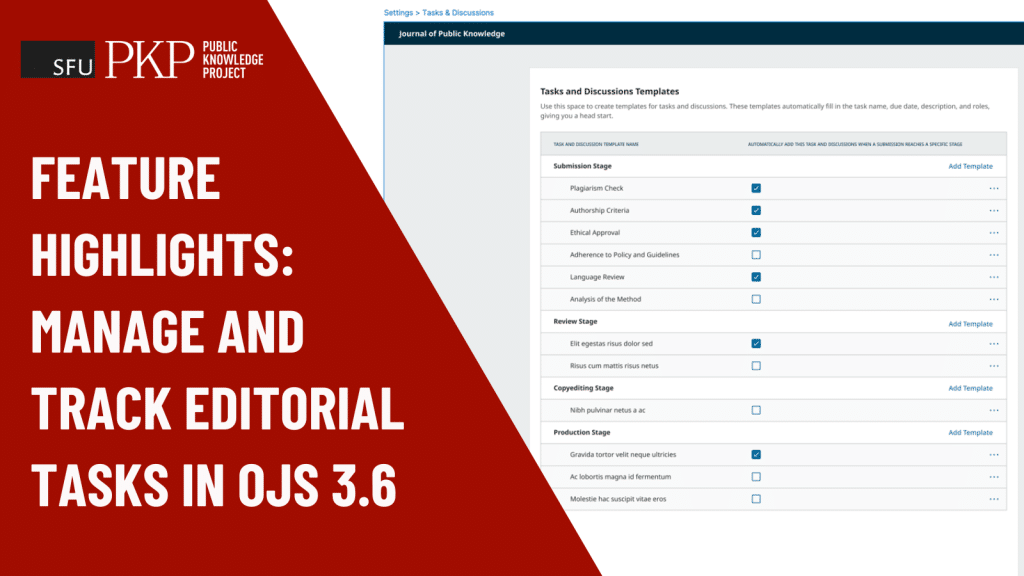
Create checklists, assign tasks, monitor deadlines, and more, all without leaving OJS.
DOI: https://doi.org/10.59350/4mmn7-q0y83
This article focuses on three features built into the upcoming OJS 3.6 release, planned for Fall 2026, that help journal managers and editors collaborate with colleagues and keep track of tasks from start to finish.
Delegate tasks and keep track of due dates
In OJS 3.5 and earlier, task lists, due dates, and assignments during the various stages — submission, review, copy-editing, and production — are typically managed via spreadsheets and emails outside of OJS.
OJS 3.6 allows you to perform these functions without diverting your attention elsewhere.
Here’s how it works.
Open the submission.
Tasks and discussions are contained within a submission, since only users who can view and contribute to a submission can see and participate.
Create a series of tasks to form your to-do list.
As a journal manager or editor, you can create a series of tasks that comprise a to-do checklist.
Here is what the task creation screen looks like:
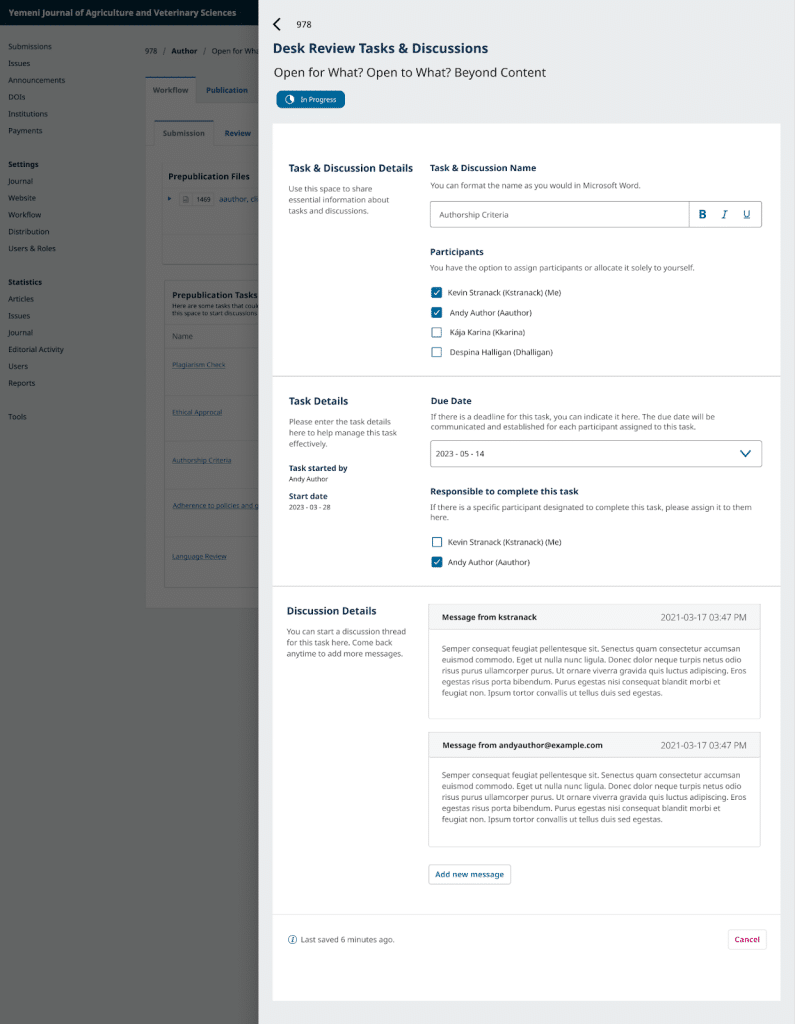
The key components of a task are the task details, the assignee or person responsible, the participants who are involved in the submission, and the due date.
Overview of tasks in OJS 3.6:
An example of a common use case is Open Research Europe’s pre-publication criteria, a list of requirements that need to be met prior to a submission being published on the site.
A Pre-publication Manager is responsible for ensuring these requirements are met, but the process may involve communication with the author and possibly delegating tasks to others.
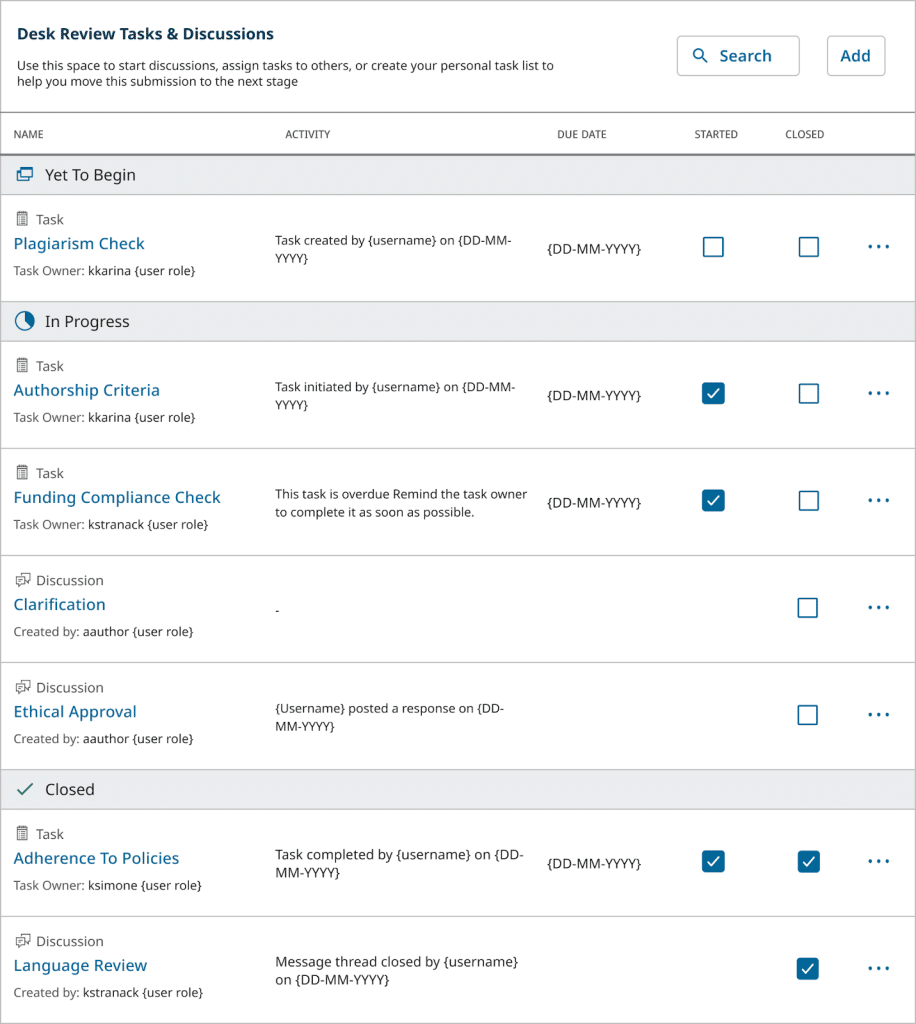
During the process, the Pre-publication Manager can use the stage-specific dashboard, as shown below, to retrieve an at-a-glance status of what needs to be done, when, and by whom.
Task-centric discussions
Using the discussions functionality, you can create a message or use a predefined message, attach files, and select from a list of participants. This functionality also exists in OJS 3.5.
With the introduction of tasks to OJS 3.6, discussions can be added within a task, ensuring discussion topics are focused and visible to only relevant users.
Save time with task templating and scheduling
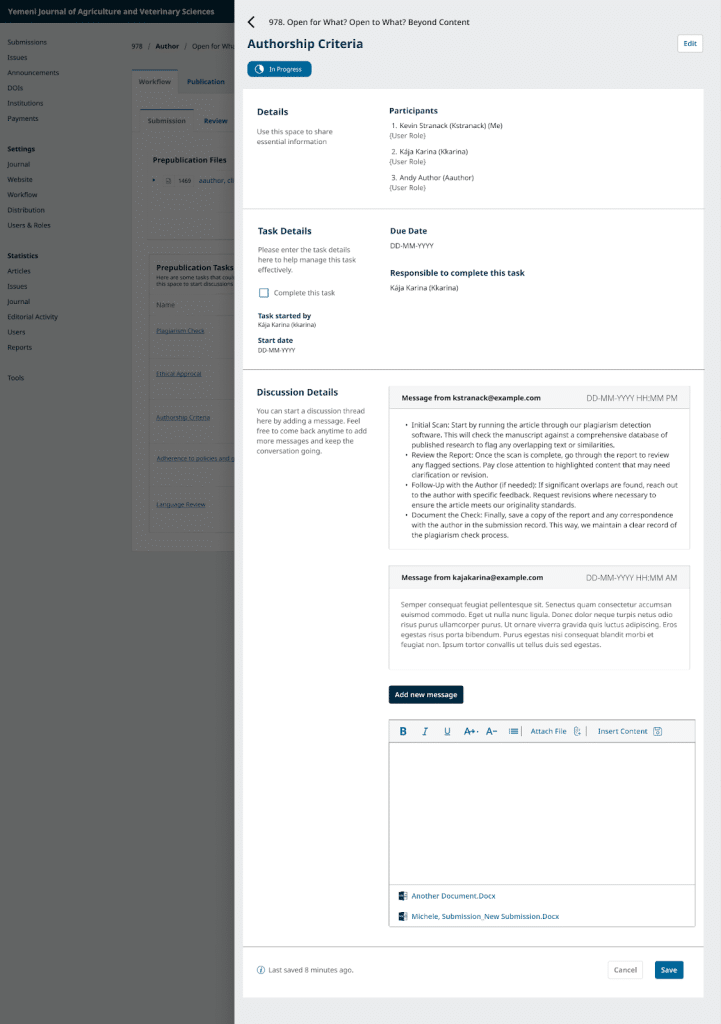
Creating task templates for reuse and scheduling
Use a template to save frequently-used tasks and schedule them to appear at the right stage. This handy feature lets you easily create and reuse a series of tasks or checklists rather than recreating them from scratch every time.
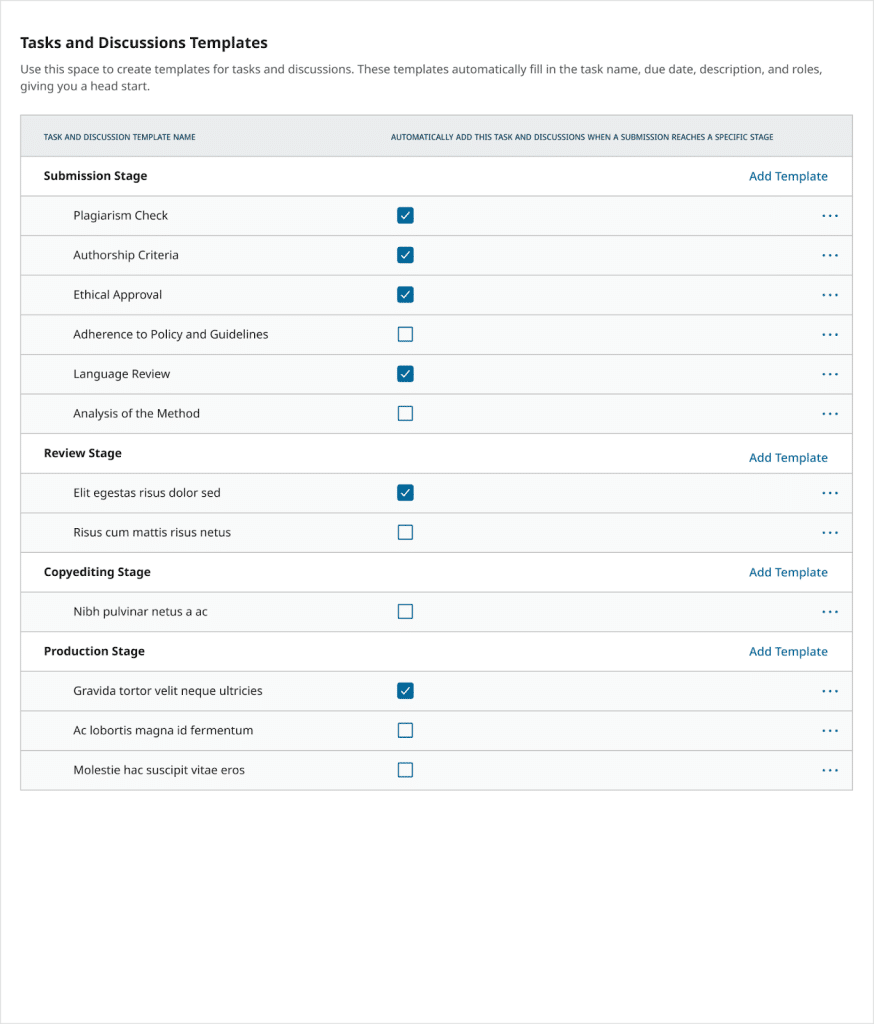
OJS 3.6 provides enhanced functionality with a user-tested and intuitive UI that avoids settings and configuration complications by letting you make on-the-spot decisions in the workflow.
To see a walkthrough of these features and more, please join us on January 28th, 2026, at 09:00 PT for a working demo of tasks and discussions hosted by lead developer, Vitaliy Bezsheiko. Sign up now!
Jump to other features in this issue of Archipelago, PKP’s Community Newsletter
- People Behind the Project — Exploring what it Means for PKP to be Driven by Research: Interview with Juan Pablo Alperin
- Community News — What’s Coming to PKP Education and Programming in 2026
- Community News — Relawan Jurnal Indonesia Celebrates 9th Anniversary with Symposium and Training Program
- Collaboration Corner
- Past Events — A Year in Review: PKP’s 2025 Event Recap
These are just the feature segments. If you subscribe to our newsletter emailed about every 2 months, you will also learn about resource roundups, upcoming events and more.
Happy reading!